Choosing a security company is not the same as choosing an ordinary service provider.
You are trusting that company with responsibilities that may include:
- Monitoring alarms
- Responding to emergencies
- Controlling access
- Protecting premises
- Managing security personnel
- Handling sensitive information
Price matters.
But the cheapest monthly package is not automatically the best choice.
A provider may advertise an attractive rate while offering poor local coverage, slow response, weak communication or contract terms that make changing suppliers difficult.
The right security company should match the risks, property and level of service you actually need.
That starts with checking whether the business is legitimate and properly registered.
Start With PSiRA Registration
In South Africa, private security service providers must be registered with the Private Security Industry Regulatory Authority.
PSiRA specifically advises consumers to use registered security businesses and states that consumers have the right to request proof of registration. Registration can also be checked through PSiRA's online verification system.
Do not rely only on:
- Company branding
- Uniforms
- Vehicle signage
- Website claims
Verify the registration.
A professional-looking business is not automatically a compliant one.
Check the Company's Current Standing
Registration is the first check.
It should not necessarily be the last.
PSiRA advises consumers to ask whether the security company can provide a valid letter of good standing.
This can provide additional reassurance that the business remains compliant with relevant industry obligations.
Ask for the documentation where appropriate.
A legitimate provider should be comfortable explaining its status.
Check the Security Officers Too
The company itself may be registered while individual personnel still need to meet their own requirements.
PSiRA recommends that consumers confirm that security officers deployed to provide services are registered and appropriately trained for the work they perform.
This is particularly relevant when hiring services involving:
- Guards
- Access control
- Patrols
- Response officers
Do not assume the company's registration automatically proves the status of every employee.
Ask About Staff Training
Registration provides an important baseline.
The actual service still depends heavily on the people delivering it.
Ask what training security personnel receive for their particular roles.
This may include training relating to:
- Access control
- Alarm response
- Incident handling
- Communication
- Emergency procedures
- Report writing
Different security jobs require different skills.
Someone stationed at a commercial reception desk needs a different operational approach from someone responding to alarms at night.
Staff Experience Matters
A company with good systems can still deliver poor service if personnel are:
- Inexperienced
- Poorly supervised
- Frequently replaced
Ask about:
- Staff turnover
- Supervision
- Site induction
- Ongoing training
For business premises, consistency can be particularly valuable.
Security staff who understand the property and normal operating patterns are often better positioned to identify unusual activity.
Decide What Security Service You Actually Need
Do not begin by asking:
Which security company is best?
Begin by asking:
What do we need the security company to do?
Possible services include:
- Alarm monitoring
- Armed response
- Guarding
- Access control
- CCTV monitoring
- Patrols
- Technical installations
- Event security
Not every property needs every service.
A small residential property and a large distribution centre have completely different risk profiles.
Residential Security Needs Vary
A household may mainly need:
- Alarm monitoring
- Response
- Perimeter protection
- CCTV integration
Another property may need:
- Electric fencing
- Gate automation
- Regular patrols
Choose according to the site.
Do not buy an extensive package simply because it is the provider's standard recommendation.
Business Security Is More Complex
Commercial properties may need to consider:
- Employees
- Customers
- Deliveries
- Stock
- Vehicles
- Restricted areas
- Opening hours
Security therefore needs to work with daily operations rather than obstruct them.
A system that creates constant delays at the gate may eventually be bypassed by employees.
Good security needs to be both effective and workable.
Ask for a Site Assessment
Before recommending equipment or services, a security company should understand the property.
A useful assessment may consider:
- Entry points
- Perimeter
- Lighting
- Existing systems
- Surrounding area
- Operating patterns
Avoid accepting a generic package without understanding why it suits the site.
Security should respond to actual risks.
Be Cautious of Fear-Based Selling
Security concerns are real.
That does not mean a sales process should rely on creating panic.
Be cautious when a salesperson uses:
- Extreme claims
- Pressure
- Vague threats
- Artificial urgency
to push an immediate decision.
A professional provider should be able to explain:
- Risks
- Recommendations
- Costs
without making the conversation unnecessarily dramatic.
Ask How the Risk Assessment Was Reached
If the company recommends:
- Additional beams
- More cameras
- Extra patrols
ask why.
The answer should relate to identifiable vulnerabilities.
For example:
This side entrance is poorly visible from the road and currently has no detection.
That is much more useful than:
You really need the premium package.
Local Coverage Matters
For response services, the company's presence in your area is important.
Ask:
- Where response vehicles are based
- How the area is covered
- What happens during busy periods
A large national brand does not automatically provide stronger coverage on every street.
A smaller local provider may sometimes have a strong operational presence in a particular neighbourhood.
Ask About Typical Response Performance
Many customers want a guaranteed response time.
Real-world response can be affected by:
- Traffic
- Distance
- Existing incidents
- Road conditions
Be cautious of unrealistic guarantees.
Instead, ask how the company measures response performance and what coverage it has in your area.
Look for transparency rather than an impressive number presented without context.
Understand What Armed Response Means
Armed response generally means trained response personnel are dispatched when a monitored alarm or relevant alert is triggered.
It does not mean an officer is permanently stationed outside the property.
Ask:
- What events trigger dispatch?
- Who contacts the customer?
- What happens if nobody answers?
- How is access handled?
- What happens after an incident?
Understand the complete procedure.
Alarm Monitoring Should Be Explained Clearly
A monitored alarm sends signals to a control room or monitoring centre.
Ask what happens when a signal arrives.
For example:
- Alarm activates.
- Signal reaches monitoring centre.
- Operator follows verification procedure.
- Response is dispatched where required.
- Customer or nominated contact is informed.
The exact process varies by provider.
You should understand yours.
Ask Whether Monitoring Is 24/7
Do not assume.
Confirm whether the monitoring centre operates:
- 24 hours a day
- Every day of the year
Also ask about backup arrangements during:
- Power failures
- Network outages
- Technical failures
A security system depends on more than the sensor installed on the wall.
Ask About Control-Room Redundancy
A reliable monitoring operation should plan for failures.
Ask whether the provider has arrangements for:
- Backup power
- Alternative communications
- System redundancy
- Disaster recovery
You do not need to perform a technical audit.
You should expect a credible explanation of how service continues when something fails.
Communication Paths Matter
Alarm systems may communicate using:
- Cellular networks
- Radio networks
- Internet connections
- Combinations of technologies
Ask how your system communicates with the monitoring centre.
A redundant communication path may provide additional resilience where appropriate.
Ask What Happens During Load-Shedding or Power Failure
Security equipment may depend on electricity.
Ask how the following remain operational:
- Alarm panel
- Router
- Cameras
- Electric fence
- Gate motor
- Communication devices
Backup batteries have limited capacity.
Their condition also deteriorates over time.
Understand how the system is expected to operate during extended outages.
Battery Maintenance Is Easy to Forget
A backup battery may work perfectly when installed.
Years later, its capacity may be much lower.
Ask:
- How often batteries should be tested
- Whether testing forms part of maintenance
- Who is responsible for replacement
A system that only works while mains electricity is available provides limited resilience.
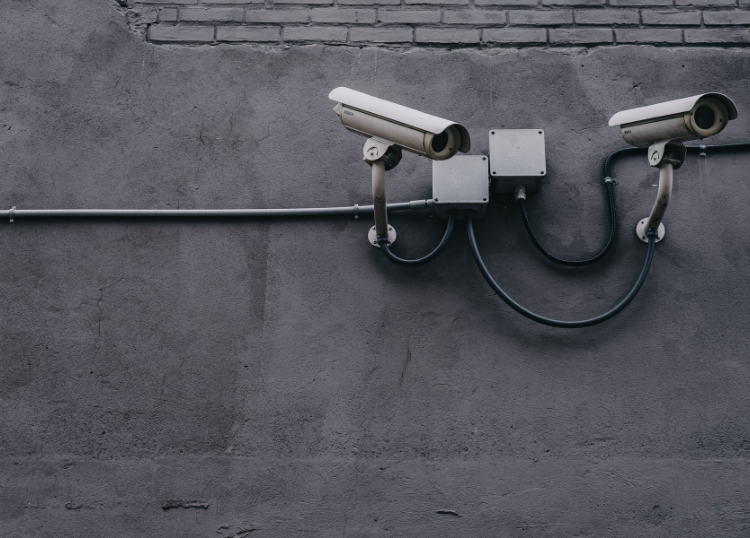
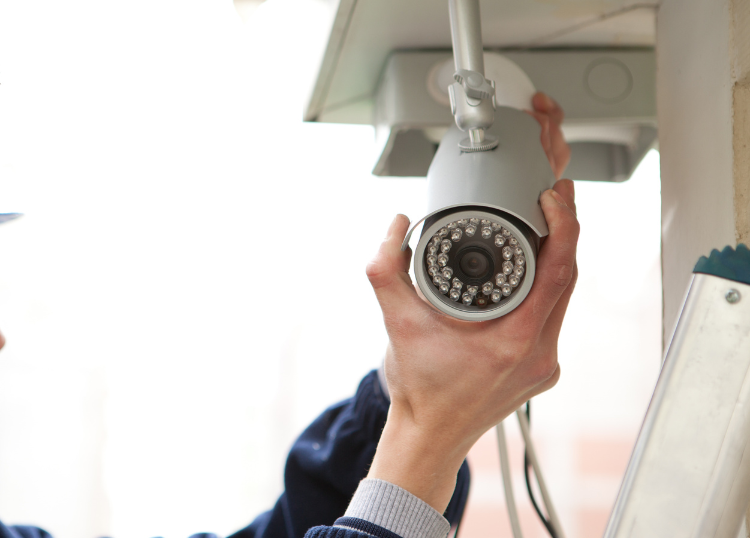
CCTV Is Not Automatically a Complete Security Solution
Cameras are useful.
They can assist with:
- Monitoring
- Verification
- Evidence
- Investigation
But cameras do not automatically stop an intruder.
They often work best as part of a broader security approach involving:
- Detection
- Response
- Physical security
Do not let an impressive camera demonstration replace discussion about the rest of the system.
Ask Who Monitors the Cameras
There is an important difference between:
Cameras are recording
and:
Someone is actively monitoring cameras.
If remote monitoring is included, ask:
- When monitoring occurs
- What events trigger intervention
- What the operator can do
If cameras are only recorded locally, understand how footage is accessed after an incident.
Camera Placement Matters More Than Camera Count
Twelve poorly positioned cameras may provide less useful coverage than six properly planned ones.
A camera should have a purpose.
For example:
- Identify people at entrance
- Monitor parking area
- Cover loading zone
- Observe perimeter
Ask what each camera is intended to capture.
Night-Time Image Quality Matters
A camera may produce excellent daytime video and poor footage at night.
Ask to see realistic examples of:
- Low-light image quality
- Infrared performance
- Identification distance
Do not judge cameras solely from showroom footage recorded under ideal conditions.
Understand Where Footage Is Stored
CCTV footage may be stored:
- On-site
- In cloud systems
- In remote data centres
- Through a combination
Ask:
- How long recordings are retained
- Who can access them
- What happens if the recorder is stolen
- Whether storage requires ongoing subscription fees
Storage is part of the system cost.
Data Security Matters
Modern security systems may process sensitive information such as:
- Camera footage
- Access logs
- Personal details
- Property information
Ask how access to this information is controlled.
For businesses, privacy and information-management requirements can be particularly important.
Do not assume that physical-security providers automatically have strong information-security practices.
Ask Who Owns the Equipment
Security contracts can differ.
You may:
- Buy the equipment outright
- Rent it
- Use equipment supplied as part of a contract
Understand which arrangement applies.
If you cancel the service, ask whether:
- Equipment remains yours
- Equipment is removed
- Additional charges apply
This should be clear before signing.
Rental Packages Can Be Useful
Rental or subscription-based equipment can reduce the initial cost.
It may also include:
- Maintenance
- Upgrades
- Replacement
However, calculate the total long-term cost.
A low installation fee can become expensive over several years.
Compare the whole contract, not only the first month's price.
Buying Equipment Gives More Control
Owning equipment may make it easier to:
- Change monitoring companies
- Retain the system after cancellation
But ownership also means the customer may carry more responsibility for:
- Repairs
- Replacement
- Upgrades
Ask whether equipment can be transferred to another service provider if needed.
Avoid Proprietary Lock-In Without Understanding It
Some systems use equipment or software that works only with one provider.
That may be perfectly acceptable if the service is good.
The problem arises when the customer discovers this only after trying to cancel.
Ask:
Can another security company monitor or maintain this equipment?
Know the answer before committing.
Read the Contract
Do not rely only on what the salesperson says.
Read:
- Contract period
- Cancellation notice
- Price increases
- Installation charges
- Equipment ownership
- Maintenance responsibilities
- Call-out fees
- Additional response charges
Ask for clarification where wording is unclear.
Pay Attention to Contract Length
Security contracts may run for a fixed period.
Understand:
- Start date
- Minimum duration
- Renewal terms
A discounted installation may be linked to a longer commitment.
That is not necessarily a problem.
It simply needs to be understood.
Check the Cancellation Terms
Ask:
- How much notice is required?
- Are early-cancellation fees charged?
- Must equipment be returned?
- Does cancellation need to be in writing?
Do this before signing.
Cancellation terms are much easier to negotiate before becoming a customer.
Ask How Prices Can Change
Monthly security fees may increase over time.
The contract should explain how price changes are handled.
Ask whether increases are:
- Annual
- Linked to particular factors
- Communicated in advance
Do not compare providers solely on today's monthly fee.
Ask About Extra Charges
The advertised monthly amount may not include everything.
Potential additional charges can include:
- Installation
- Maintenance
- Extra remotes
- Additional users
- Call-outs
- Replacement batteries
- Equipment upgrades
Request a clear breakdown.
Compare Like With Like
Provider A may charge R500 per month.
Provider B may charge R700.
That comparison means little if one package includes:
- Maintenance
- Response
- Multiple communication paths
while the other includes only basic monitoring.
Compare:
Service against service
rather than:
Price against price.
Ask About Maintenance
Security systems need maintenance.
Ask who maintains:
- Alarm sensors
- Cameras
- Electric fencing
- Batteries
- Gate integrations
Also ask:
- Whether maintenance is included
- How faults are reported
- How quickly technicians attend
A sophisticated system is not useful if faults remain unresolved for weeks.
Technical Support Matters
Installation is only the beginning.
Ask what happens if:
- Alarm repeatedly false-triggers
- Camera stops working
- App fails
- Sensor develops a fault
Look for a provider with a clear technical-support process.
A sales department answering quickly tells you little about the support department.
False Alarms Need Management
Repeated false alarms create frustration.
They can also reduce confidence in the system.
Common causes may include:
- Incorrect sensor placement
- Equipment faults
- User error
- Environmental conditions
Ask how the company investigates recurring false activations.
The solution should not simply be:
Ignore that zone.
Ask About Pet-Friendly Detection Where Relevant
Households with pets should discuss them before installation.
Certain detectors can be selected or configured with pet movement in mind.
Provide accurate information about:
- Number of animals
- Approximate size
- Areas they access
Do not simply assume the standard motion detector will work perfectly.
Perimeter Security Should Be Assessed Carefully
Depending on the property, perimeter protection may involve:
- Electric fencing
- Outdoor detection
- Beams
- Cameras
- Physical barriers
The best combination depends on the site.
A system should detect activity while avoiding unnecessary false alarms caused by normal environmental movement.
Security Should Use Layers
No single security feature is perfect.
A layered approach may involve:
Layer 1: Physical boundary.
Layer 2: Perimeter detection.
Layer 3: Doors and windows.
Layer 4: Internal alarm.
Layer 5: Monitoring and response.
This creates more than one opportunity to identify or slow an intrusion.
The exact layers depend on the property.
Physical Security Still Matters
Technology should not replace basic physical measures.
Check:
- Doors
- Locks
- Gates
- Windows
- Fencing
- Lighting
A highly sophisticated alarm inside a building with a weak external door still leaves an obvious vulnerability.
The security company should consider the property as a complete system.
Lighting Can Support Security
Appropriate exterior lighting can improve:
- Visibility
- Camera performance
- User safety
However, excessive uncontrolled lighting can create glare and dark contrast areas.
Lighting should support the site rather than simply making everything as bright as possible.
Ask About Access Control
Businesses may need systems that manage:
- Employees
- Visitors
- Contractors
- Vehicles
Possible technologies include:
- Cards
- Tags
- Biometrics
- Mobile credentials
The right system depends on the organisation.
Choose according to operational needs rather than whichever technology appears most advanced.
Access Logs Can Be Valuable
Electronic access systems can record:
- Who entered
- When they entered
- Which access point was used
This can assist with:
- Investigations
- Attendance
- Restricted areas
But logs contain sensitive information.
Access should be controlled appropriately.
Visitor Management Should Be Practical
A visitor system should improve control without creating unnecessary delays.
Consider:
- Reception process
- Identification
- Host notification
- Delivery handling
Overly complicated systems are often bypassed.
Security measures need to fit real operations.
Guarding Requires Strong Management
If the company provides guarding services, ask how officers are managed.
Useful questions include:
- How are shifts supervised?
- What happens if someone does not arrive?
- How are incidents reported?
- How often does management visit the site?
- How are officers briefed?
A uniformed person at the gate is not, by itself, proof of a well-run guarding service.
Site Instructions Should Be Clear
Business guarding should operate according to documented procedures.
These may cover:
- Access
- Deliveries
- Visitors
- Emergencies
- Key control
- Incident escalation
Site instructions reduce reliance on informal verbal arrangements.
They also make staff changes easier to manage.
Ask How Relief Staff Are Handled
Security officers:
- Take leave
- Become ill
- Change jobs
Ask how replacement staff are introduced to the site.
A relief officer should understand the essential procedures before being left responsible for the post.
Good supervision matters particularly during staff changes.
Appearance Is Not the Same as Professionalism
Clean vehicles and smart uniforms can indicate good management.
They are not enough on their own.
Professionalism also appears in:
- Communication
- Documentation
- Training
- Punctuality
- Problem solving
Judge the entire service.
Ask for References
For larger or commercial contracts, ask for references from customers with similar requirements.
A security company experienced in:
- Residential estates
may not automatically be the best choice for:
- Industrial facilities
Speak to clients whose security needs resemble your own.
Read Reviews Carefully
Online reviews can provide useful clues.
Look for repeated comments about:
- Response
- Billing
- Technical support
- Communication
- Cancellation
Do not judge a company from one angry review or one perfect review.
Look for patterns.
Recent Reviews Matter More
A company may change considerably over several years.
Management, staffing and operational coverage can improve or deteriorate.
Give more weight to recent experiences when assessing current service quality.
Ask Neighbours About Local Response
For residential security, nearby customers can provide particularly useful information.
Ask people in the same:
- Street
- Estate
- Suburb
about their experience.
A provider's performance in your immediate area matters more than its reputation somewhere across the city.
Community Presence Can Be Useful
Some security companies work closely with:
- Residents' associations
- Neighbourhood groups
- Estate management
This may improve local knowledge and communication.
However, community visibility should supplement, not replace:
- Registration
- Training
- Professional systems
Ask How Incidents Are Communicated
After an alarm or security incident, customers need clear information.
Ask whether the company provides:
- Phone notification
- App notification
- Written reports
- Incident numbers
For businesses, written incident reporting can be particularly valuable.
Incident Reports Should Be Useful
A useful report should capture relevant facts such as:
- Time
- Location
- What occurred
- Actions taken
Avoid relying on vague notes such as:
All in order.
Good reporting helps management understand patterns and make future improvements.
Escalation Procedures Matter
Ask what happens during a serious incident.
Who is contacted?
Possibilities might include:
- Customer
- Police
- Emergency services
- Building management
Procedures should be defined in advance.
Do not wait for an emergency to decide who needs to be called.
Keep Contact Lists Updated
A monitoring company can only contact the people listed on the account.
Review nominated contacts when:
- Employees leave
- Tenants change
- Phone numbers change
- Family circumstances change
Outdated contact information can delay communication during an incident.
Test the System
A security system should be tested periodically.
Ask how to perform a controlled test without causing unnecessary response.
Testing can confirm that:
- Sensors activate
- Signal reaches monitoring centre
- Contacts are correct
A system that has never been tested may provide false confidence.
Test Panic Buttons Too
Where panic buttons or emergency triggers are installed, users should know:
- Where they are
- How they work
- What response they trigger
Do not wait for a real emergency to learn whether the button works.
Staff training may be appropriate in commercial environments.
Security Apps Should Be Evaluated Practically
Many providers offer apps for:
- Arming systems
- Viewing cameras
- Triggering panic alerts
- Receiving notifications
Ask:
- Who can access the app
- How permissions are managed
- What happens when an employee leaves
- Whether the app requires internet access
Convenience should not create weak access control.
Protect Account Credentials
Security-system passwords should not be:
- Shared widely
- Left unchanged indefinitely
- Reused carelessly
Businesses should have a process for removing access when:
- Staff leave
- Contractors finish work
Digital access is now part of physical security.
Ask About System Updates
Connected security devices may use:
- Firmware
- Apps
- Cloud services
Ask how updates are handled.
Older unsupported equipment may become harder to maintain.
A good provider should have a sensible approach to the technology lifecycle.
Avoid Buying Technology You Do Not Need
Security products can become complicated quickly.
You may be offered:
- Facial recognition
- Artificial intelligence
- Advanced analytics
- Remote automation
These tools can be useful in appropriate environments.
They are not automatically necessary.
Ask what problem each technology solves.
If the answer is unclear, reconsider whether you need it.
Security Should Fit Everyday Behaviour
A security system people find impossible to use will eventually be:
- Disabled
- Bypassed
- Ignored
A strong system should fit reasonable daily routines.
For example, employees need a practical way to:
- Enter
- Receive deliveries
- Manage visitors
without defeating the security measures.
Usability is part of security.
Training Customers Matters
After installation, users should know:
- How to arm the system
- How to disarm it
- What different alerts mean
- How to report faults
- How to perform a test
Ask whether training is included.
Do not accept a complicated system with a ten-minute handover and no documentation.
Ask for Written Instructions
Simple written guidance can help new:
- Employees
- Tenants
- Family members
understand the system.
Keep important emergency procedures accessible.
Avoid relying entirely on one person's memory.
Review Security After Major Changes
Security needs change when:
- Building expands
- Business hours change
- Staff numbers increase
- New access point is created
- Renovation takes place
Review the system after meaningful property or operational changes.
A setup designed for the building five years ago may no longer match current risks.
Review the Service Periodically
Do not automatically renew the same arrangement forever.
Periodically assess:
- Response
- Fault history
- Costs
- Communication
- New risks
If service remains strong, there may be no reason to change.
The point is simply to confirm that the provider still meets your needs.
Price Should Not Be the Only Decision
Security companies compete heavily on monthly pricing.
That can encourage customers to compare only:
R499 versus R599
The more useful comparison is:
- What is included?
- What is the response coverage?
- Who owns the equipment?
- What maintenance is provided?
- What does cancellation cost?
An inexpensive package that fails when needed is poor value.
Expensive Does Not Automatically Mean Better
The opposite is also true.
A high monthly fee does not guarantee:
- Faster response
- Better staff
- Stronger systems
Ask the same questions regardless of price.
Judge the provider on evidence.
Be Careful With Extremely Cheap Guarding Quotes
Security guarding involves real employment and compliance costs.
A quote dramatically below comparable providers deserves closer examination.
PSiRA's consumer guidance specifically recommends checking matters including registration, UIF, COIDA, the Private Security Sector Provident Fund and the National Bargaining Council for the Private Security Sector when procuring security services.
Very low pricing should not come at the expense of lawful employment practices or service quality.
Ask for Proof of Relevant Compliance
PSiRA advises consumers to make reasonable enquiries into the legitimacy of security providers before contracting them.
Its consumer guidance includes checking items such as:
- PSiRA registration
- Letter of good standing
- Employee registration
- COIDA
- UIF
- Relevant provident-fund status
- National Bargaining Council registration
The exact checks may depend on the service being purchased.
For significant commercial contracts, proper due diligence is worthwhile.
Verify Information Rather Than Accepting Copies Blindly
PSiRA provides online business and individual verification options through its digital services.
Where registration matters, verify it independently.
Documents can become outdated.
Online verification provides another way to confirm status.
Insurance Can Be Relevant
For larger contracts, businesses may also want to ask what insurance the security provider carries.
Depending on the service, this might include appropriate:
- Liability cover
- Employee-related cover
- Vehicle insurance
The required cover depends on the nature of the contract.
Ask for professional advice where the risk is significant.
Understand the Provider's Role
A security company reduces and manages risk.
It cannot guarantee that:
- Crime will never occur
- Property will never be damaged
- Every incident will be prevented
Be cautious of absolute promises.
A credible company should explain what its systems are designed to do and where limitations remain.
Security Is Shared Responsibility
Customers still need to:
- Lock doors
- Maintain gates
- Report faults
- Update contact details
- Follow procedures
A monitored alarm cannot compensate indefinitely for:
- Broken perimeter
- Disabled sensors
- Permanently open access points
Security works best when the provider and customer both fulfil their roles.
Beware of Salespeople Who Dismiss Your Existing System Immediately
Sometimes existing equipment genuinely needs replacement.
Sometimes it can be:
- Reused
- Upgraded
- Reconfigured
Ask why replacement is recommended.
A good technical assessment should distinguish between:
- Faulty equipment
- Unsupported equipment
- Perfectly usable equipment
Replacing everything is not automatically the best solution.
Ask Whether Existing Equipment Can Be Integrated
If you already have:
- Cameras
- Alarm sensors
- Electric fence
- Access control
ask whether the new provider can integrate with it.
This may reduce unnecessary costs.
However, old equipment should not be retained if it creates reliability or compatibility problems.
Get More Than One Quote
For significant installations or contracts, obtain several quotes.
Give each company the same basic information.
This makes comparison easier.
Differences in recommendations can also reveal useful questions.
If one company recommends 16 cameras and another recommends eight, ask both to explain their reasoning.
Do Not Choose Solely From the Quote Document
Meet or speak with the company.
Pay attention to:
- How carefully they assess the property
- Whether they answer questions clearly
- Whether they explain limitations
- Whether they pressure you
The sales process often provides clues about how the company operates.
Ask Who Your Contact Will Be After Signing
Salespeople are often highly responsive before the contract is signed.
Find out who handles:
- Technical problems
- Billing
- Service complaints
- Account changes
Ask for the relevant contact channels.
You need to know how support works after the sale.
Complaint Handling Matters
Problems can happen with any service provider.
What matters is how they are resolved.
Ask whether the company has a formal complaints process.
PSiRA also operates a complaints function for issues relating to the private security industry and allows consumers to report relevant conduct concerns.
A provider should not make customers feel that complaints have nowhere to go.
Security Should Scale With the Property
A small business may grow.
A household may add:
- Garage
- Cottage
- New entrance
Ask whether the system can expand.
Modular systems can reduce the need to replace everything later.
Do not overbuild for hypothetical future needs, but leave reasonable room for change.
Consider Integration Carefully
Security systems can sometimes integrate:
- Alarm
- CCTV
- Access control
- Intercom
- Gate automation
Integration can improve convenience.
It can also create dependence on one platform.
Ask:
- What happens if one component fails?
- Can parts be replaced independently?
- Who supports the complete system?
Convenience should not create unnecessary fragility.
Businesses Should Consider Shift Patterns
Security needs can change depending on:
- Day
- Night
- Weekends
- Holidays
A warehouse may be busy during the day and almost empty at night.
A retail site may have completely different risk patterns after closing.
Security staffing and monitoring should reflect these operational changes.
Warehouses Need Different Security From Offices
A warehouse may prioritise:
- Perimeter
- Loading areas
- Stock
- Vehicle movement
An office may focus more heavily on:
- Access control
- Visitors
- Parking
- Equipment
Do not accept a generic commercial-security plan.
The building's use matters.
Retail Security Needs Customer Awareness
Retail security needs to balance:
- Loss prevention
- Customer experience
- Employee safety
Overly aggressive visible security can make customers uncomfortable.
Too little control can increase risk.
The security provider should understand the specific environment.
Residential Estates Need Consistent Procedures
Estate security often depends on:
- Access control
- Visitor management
- Patrols
- Resident cooperation
A sophisticated system can still fail when procedures are inconsistent.
Rules should be:
- Clear
- Practical
- Applied consistently
Technology cannot compensate for poor gate management.
Ask About Emergency Preparedness
Security companies may encounter situations involving:
- Fire
- Medical emergency
- Criminal incidents
Ask what personnel are expected to do.
Their role should be defined and appropriate to their training.
Do not assume security officers are automatically:
- Paramedics
- Firefighters
unless specific qualifications and arrangements exist.
Security Officers Need Clear Boundaries
Professional security involves knowing:
- What action to take
- When to escalate
- When to contact authorities
A provider should operate within lawful and professional limits.
PSiRA's Code of Conduct establishes binding expectations for security service providers and emphasises responsible and professional conduct.
Avoid Companies That Will Not Provide Documentation
A provider unwilling to show:
- Registration
- Contract
- Pricing details
- Relevant compliance documentation
should raise concerns.
Security is a trust-based service.
Transparency should be part of that trust.
Do Not Rush the Decision
Unless there is an immediate emergency, give yourself enough time to:
- Compare providers
- Verify registration
- Read contracts
- Ask questions
Security decisions can create long-term commitments.
A careful selection process is worthwhile.
Questions to Ask a Security Company
Before signing, ask:
- Are you registered with PSiRA?
- Can I verify your registration?
- Can you provide a current letter of good standing?
- Are deployed security officers registered and appropriately trained?
- What services are included in the monthly fee?
- How is my area covered?
- How do you measure response performance?
- How does alarm monitoring work?
- What happens during power or network failure?
- Who owns the installed equipment?
- Can another provider use the equipment later?
- What maintenance is included?
- Are there additional call-out charges?
- What is the minimum contract period?
- What are the cancellation terms?
- How are price increases handled?
- Who provides technical support?
- How are complaints escalated?
- Can you provide relevant customer references?
A company that answers these clearly makes comparison much easier.
A Practical Security Company Checklist
Before choosing a provider, check:
- PSiRA registration
- Current standing
- Employee registration where relevant
- Appropriate training
- Local response presence
- Monitoring arrangements
- Backup systems
- Equipment ownership
- Maintenance terms
- Technical support
- Contract duration
- Cancellation rules
- Additional charges
- Customer reviews
- Relevant references
- Incident reporting
- Data access controls
- Ability to expand the system
If any major point remains unclear, ask before signing.
Common Security Company Selection Mistakes
Watch for:
- Choosing only by monthly price
- Failing to verify registration
- Assuming all packages include the same services
- Ignoring contract length
- Not asking who owns the equipment
- Accepting unrealistic response promises
- Buying technology without understanding its purpose
- Failing to test monitoring procedures
- Ignoring maintenance costs
- Not checking local coverage
- Choosing a provider based only on national brand recognition
- Signing before reading cancellation terms
- Assuming cameras alone provide complete security
- Ignoring data security on connected systems
- Failing to ask how faults and complaints are handled
Most of these problems are easier to prevent during the selection process than resolve after installation.
Final Thoughts
Choosing the right security company requires more than finding the lowest monthly fee.
Start with legitimacy.
In South Africa, verify that the security business is registered with PSiRA, and confirm the status of personnel where relevant. PSiRA specifically advises consumers to make reasonable enquiries into the legitimacy and compliance of security providers before entering into contracts.
Then look at how the service actually works.
Ask about:
- Local response coverage
- Monitoring
- Backup systems
- Training
- Maintenance
- Technical support
- Contract terms
Make sure you understand who owns the equipment and what happens if you eventually change providers.
Most importantly, choose security according to the property and its actual risks.
A home, office, warehouse and residential estate do not need identical systems.
The best provider is not necessarily the biggest company, the cheapest company or the company offering the most technology.
It is the company that can clearly explain what your risks are, what it proposes to do about them and how it will continue supporting the service after the contract has been signed.